[ИСПРАВЛЕНО] Яркость iPhone продолжает меняться на iOS 14
Основная: Текст поможет пользователям iPhone исправить яркость iPhone, постоянно меняющуюся в связи с проблемой iOS 14, с помощью Bitwar восстановление данных iPhone Программное обеспечение!
Оглавление
Введение в iPhone Яркость продолжает менять проблему
The case related to the situation:
“Last night after I updated my iOS to the latest iOS 14, the brightness on my iPhone will change automatically and I had set the brightness level too high but it will still turn lower automatically after some time. What is the issue and what should I do to fix this problem?”
Из приведенного выше примера все пользователи iPhone могут получить четкое представление о том, что яркость iPhone постоянно меняется, проблема на вашем iPhone XS, iPhone 11 Pro, iPhone 12 Pro, iPhone XR, iPhone 8 Plus или других моделях. Не волнуйтесь, мы покажем вам лучшие решения, чтобы исправить это без потери данных на ваших iPhone!
5 эффективных решений для исправления изменения яркости iPhone на iOS 14
Depending on most related cases, it is most highly the auto-brightness feature that causes the issue to happen.
Решение 1. Отключите функцию автоматической яркости
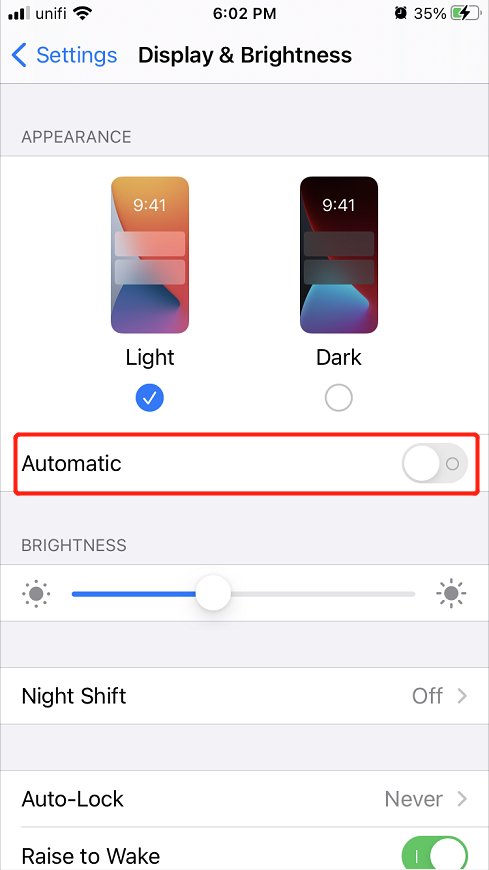
Итак, первый шаг, который вы можете сделать, - это решить проблему, отключив эту функцию на своем iPhone.
Шаг 1: Открыть iPhone settings.
Шаг 2: Выбирать Display & Brightness меню.
Шаг 3: Повернуть автоматический вариант off.
Решение 2. Сбросьте уровень яркости
Suppose that you had turned it off, and it is not working, you can try to reset the brightness level by sliding it left and right in the display and brightness setting or the brightness setting from the control center.
Решение 3. Перезагрузите устройство iPhone.
Some users also suggest that restarting their iPhone device can solve the iPhone brightness keeps changing issue. So you can press and hold the power on button and slide right to switch it off. Then, long-press the same power-on button and wait for the Apple logo to appear. Lastly, give a check to see the brightness issue is fixed or not.
Решение 4. Обновите iOS до последней версии
Устаревшая версия iOS может вызвать проблему на вашем iPhone, поэтому вам нужно проверять и видеть, что ваше устройство всегда обновляется до последней версии.
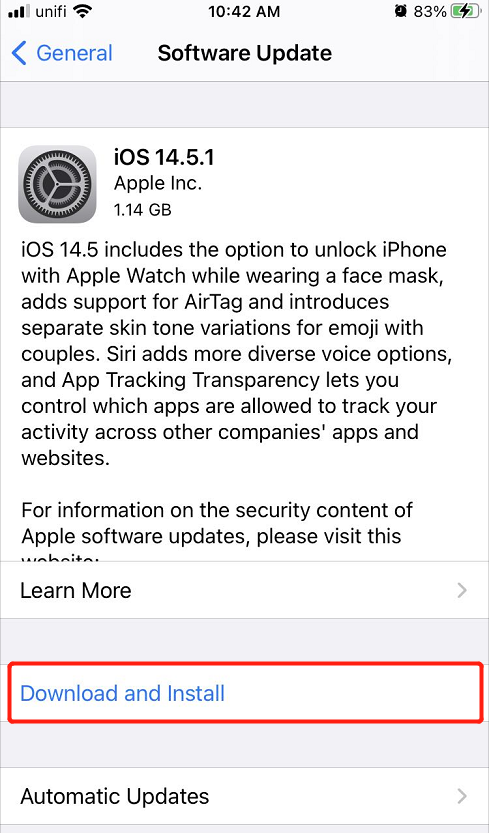
Шаг 1: Go to your iPhone settings очередной раз.
Шаг 2: выберите Общий меню.
Шаг 3: нажмите Software Update и нажмите the Download and Install вариант, если есть новая версия iOS.
Решение 5. Сбросьте настройки iPhone
If unfortunately, all the solutions above can’t solve the issue on your iPhone, then the last solution is for you to reset all your iPhone settings but make sure you did a backup of all your data to prevent any data loss.
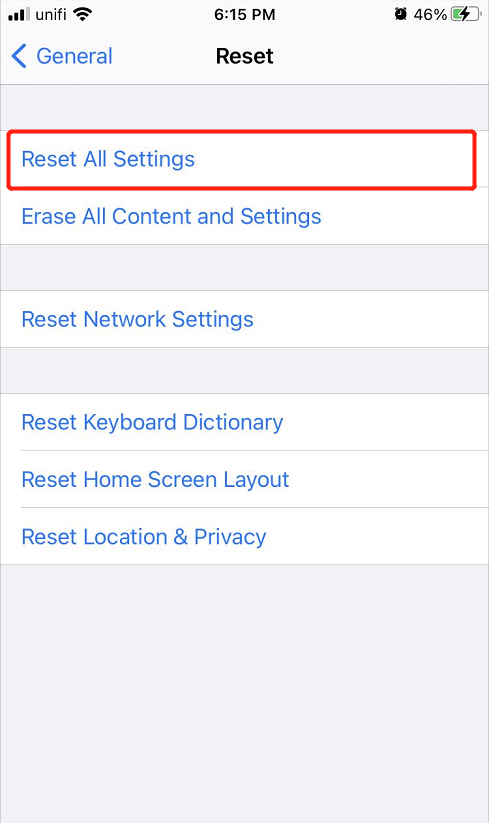
Шаг 1: Перейти к iPhone settings.
Шаг 2: выберите Общий menu and click the Сброс вариант.
Шаг 3: Click the Reset All Settings кнопку, чтобы сбросить все настройки iPhone.
Безопасное восстановление данных с помощью iPhone Data Recovery Tool
Some users may forget to back up their data and lost some important files after they reset their iPhone settings, but don’t worry we will show you an alternative way to recover your lost files which is the Восстановление данных iPhone Орудие труда.
Мы рекомендуем использовать Bitwar iPhone Программное обеспечение для восстановления данных потому что он надежен и эффективен при восстановлении всех типов файлов, таких как фотографии, календари, журналы вызовов, видео, закладки, контакты и другие.
Следуйте инструкциям ниже, чтобы как можно скорее восстановить потерянные файлы!
Шаг 1: Скачать и Установите the software from Центр загрузки Битварсофт.
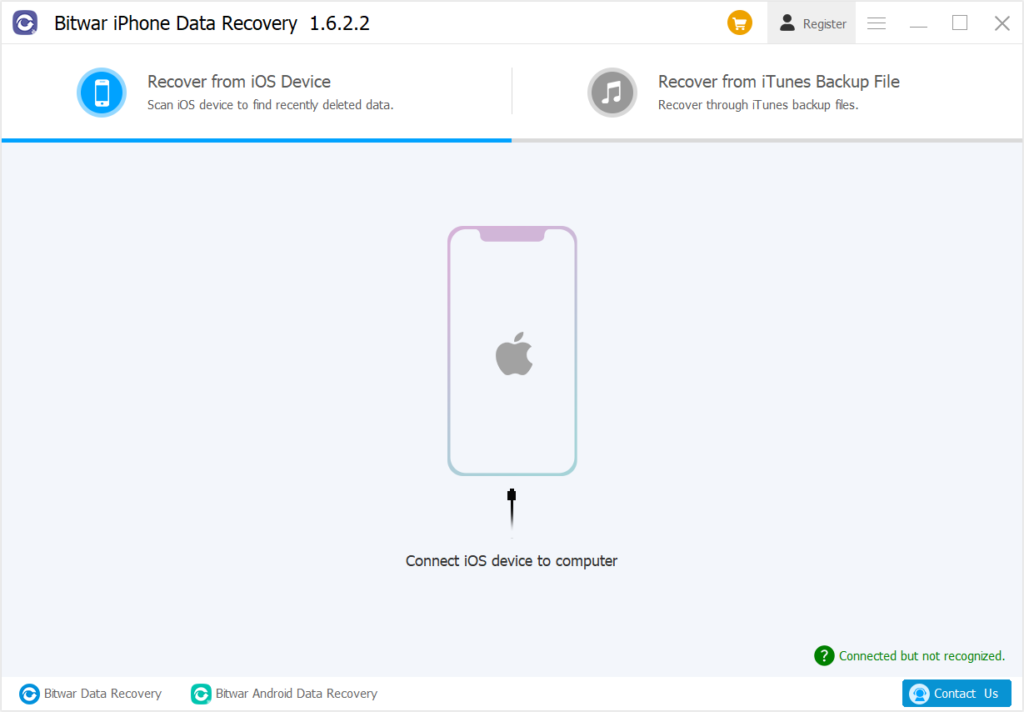
Шаг 2: Connect your iPhone device to the PC and Open the software.
Шаг 3: Выбрать типы файлов you want to get back and click Start Scan.
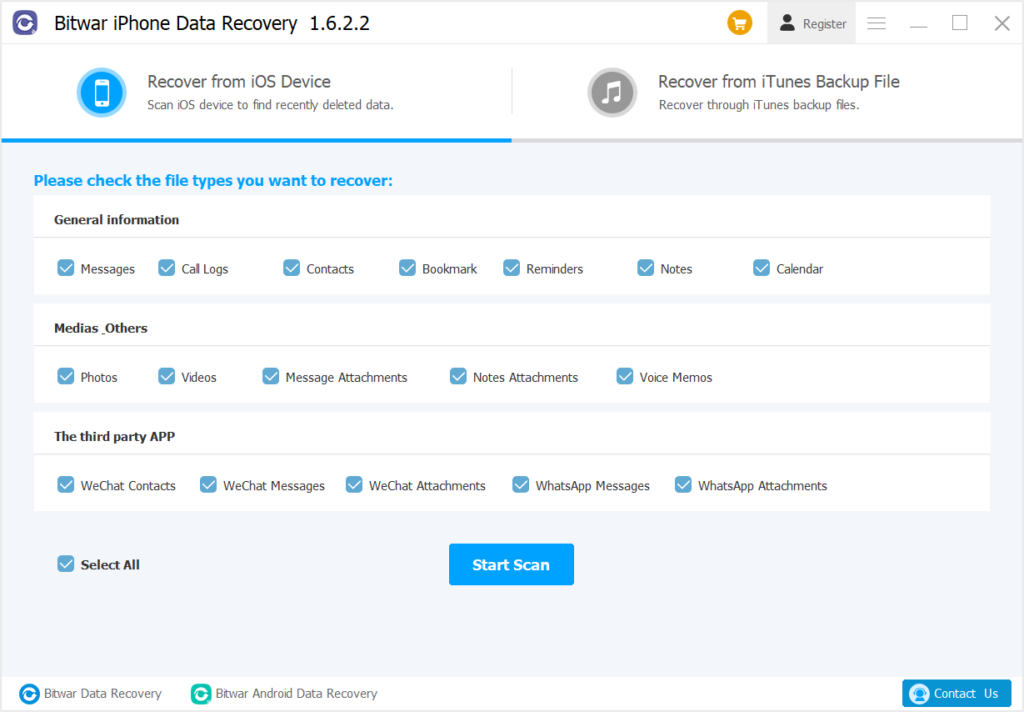
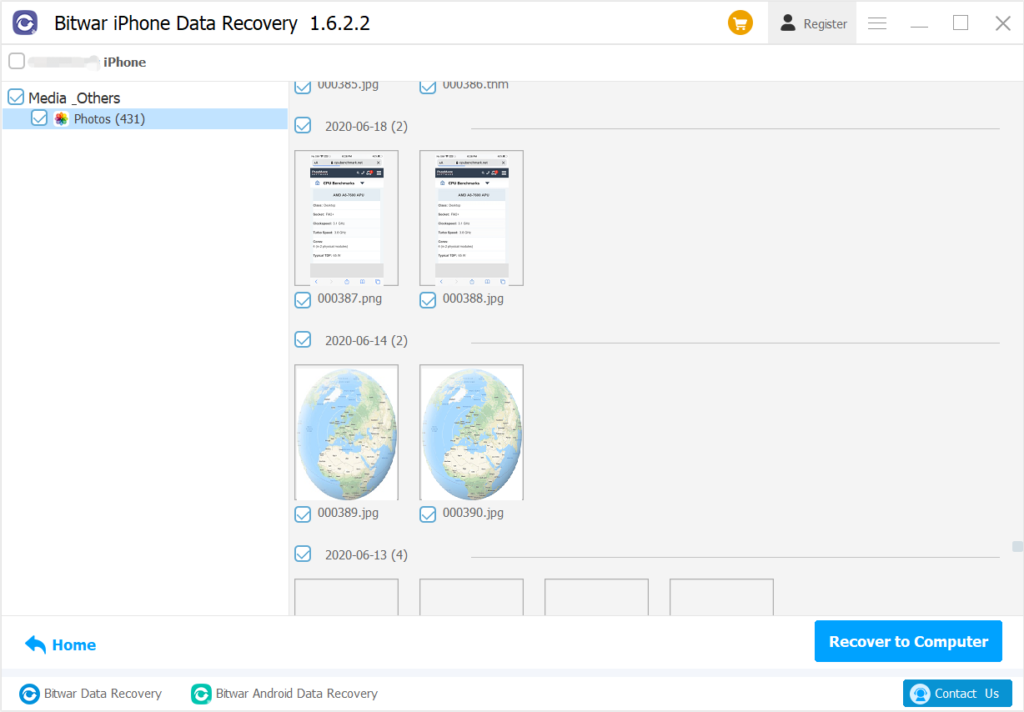
Шаг 4: Превью результаты сканирования и нажмите Recover to Computer кнопку, чтобы восстановить потерянные файлы на ваш компьютер.
Решите проблему яркости iPhone легко!
Whenever you are facing the brightness setting issue, you can lean on all the five solutions above to overcome it and if you lost any important files after fixing the iPhone brightness keeps changing on the iOS 14 problem, remember to use Bitwar восстановление данных iPhone to restore all the lost files back effectively.
Предыдущая статья
[SOLVED] iPhone Device Keeps Restarting On iOS 14 Issue Summary: The text will help iPhone users to fix iPhone brightness keeps changing on iOS 14 issue with the help...Следующая статья
How To Disable Automatic Screen Brightness On Windows 10 Summary: The text will help iPhone users to fix iPhone brightness keeps changing on iOS 14 issue with the help...
About Bitwar iPhone Data Recovery
3 Steps to recover photos, videos, contacts, call logs, notes, messages, reminders and calendars, Safari bookmarks, etc. from iPhone/iPad/iPod Touch.
Узнать подробнее



