Hard Drive Recovery: Recover Lost Or Deleted Data
Summary: In this post, we have listed the factors that affect data recovery and introduce the best solution to recover lost or deleted data by using Bitwar Hard Drive Data Recovery Software.
Table of Contents
Overview Data Loss
We all know that data loss is very troublesome for us, as some of them are vital information that we can not take if data is lost. The reason that causes the data loss is various. Data loss due to accidental deletion or formatting, malware infection, improper system usage, system crash, etc. is common and may require manual action.
So what should we do if we have a problem getting them back? Do not worry, data recovery software helps you recover data in a fast, convenient, and efficient way. However, there are several factors that have a definite impact on the success rate of data recovery software.
We have listed some factors below for your reference.
Factors Affecting Data Recovery
- Continue to use the affected system or storage drive.
- Repeated attempts at data recovery and partition repair.
- Recover deleted partitions using Disk Management or third-party tools.
- Disk fragmentation.
- Level of corruption (normal or severe).
- Bad sectors on the hard drive.
Steps to Recover Lost and Deleted Files
After getting the factors that affect data recovery, let’s focus on the data recovery tool to restore the lost or deleted files. Here, we would like to introduce Bitwar 하드 드라이브 데이터 복구 소프트웨어.
Step 1. Download Bitwar 데이터 복구 소프트웨어 and Install it according to your computer system.
Step 2. Run the software and select the Partition or device where the original files were, and click Next.
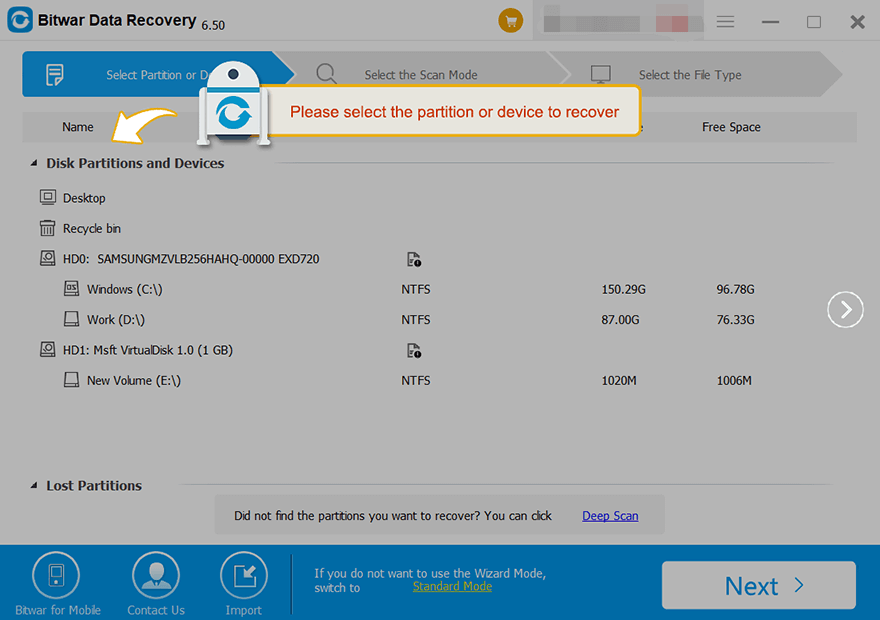
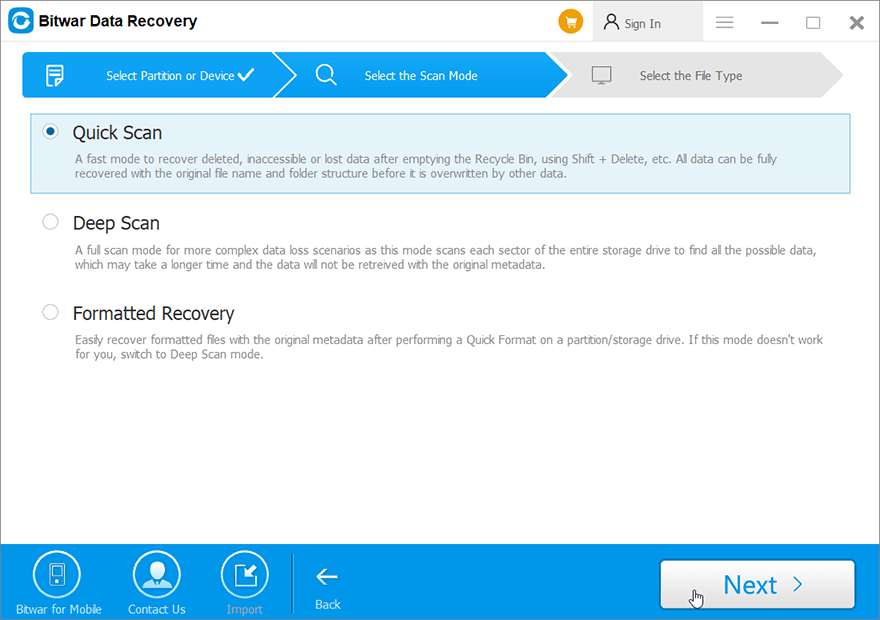
3 단계. 선택빠른 스캔방법. 삭제된 데이터를 찾을 수 없는 경우 다음을 선택할 수 있습니다.정밀 스캔방법. 그 후,다음단추.
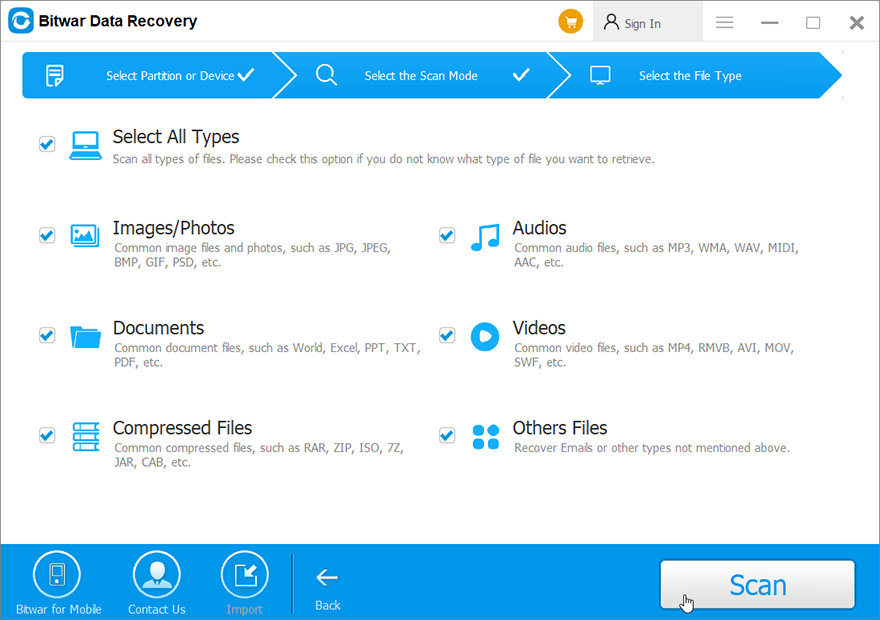
4 단계. 복구에 필요한 파일 형식을 선택하고 클릭하십시오. 다음.
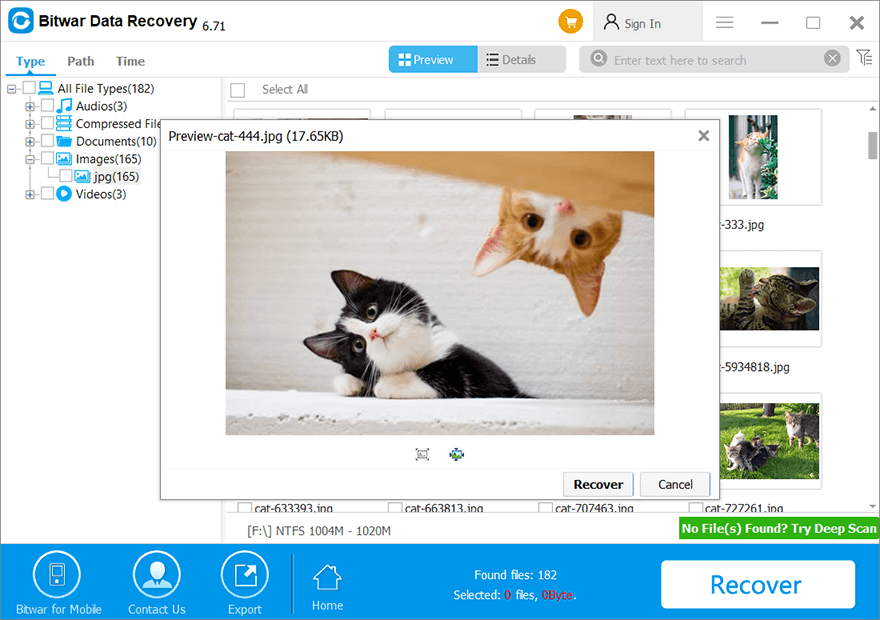
5 단계. 삭제된 파일을 미리 보고 선택한 다음 클릭하세요. 다시 덮다 그리고 데이터를 저장하세요.
결론
Bitwar 하드 드라이브 데이터 복구 소프트웨어 하드 드라이브에서 데이터를 복구하는 최고의 소프트웨어 중 하나입니다. 하드 드라이브, SSD, 기타 플래시 드라이브 등 모든 종류의 저장 매체와 호환됩니다. 지금 사용해 보세요!
이전 기사
Solved: Exception Code 0xc0000409 Error Windows 10 Summary: In this post, we have listed the factors that affect data recovery and introduce the best solution to recover...다음 기사
Solved:Check The Update History On Windows 11 Summary: In this post, we have listed the factors that affect data recovery and introduce the best solution to recover...
About Bitwar Data Recovery
3 Steps to get back 500+ kinds of deleted, formatted or lost documents, photos, videos, audios, archive files from various data loss scenarios.
더 알아보기



