샘플 도구
Last Updated: 2022-03-22
개요: The user guide below will show how to use the sample tool in Bitwar 비디오 수리!
Sample
It is a video repair tool that allows users to repair the damaged video by referring to the sample video quality on Bitwar Video Repair.
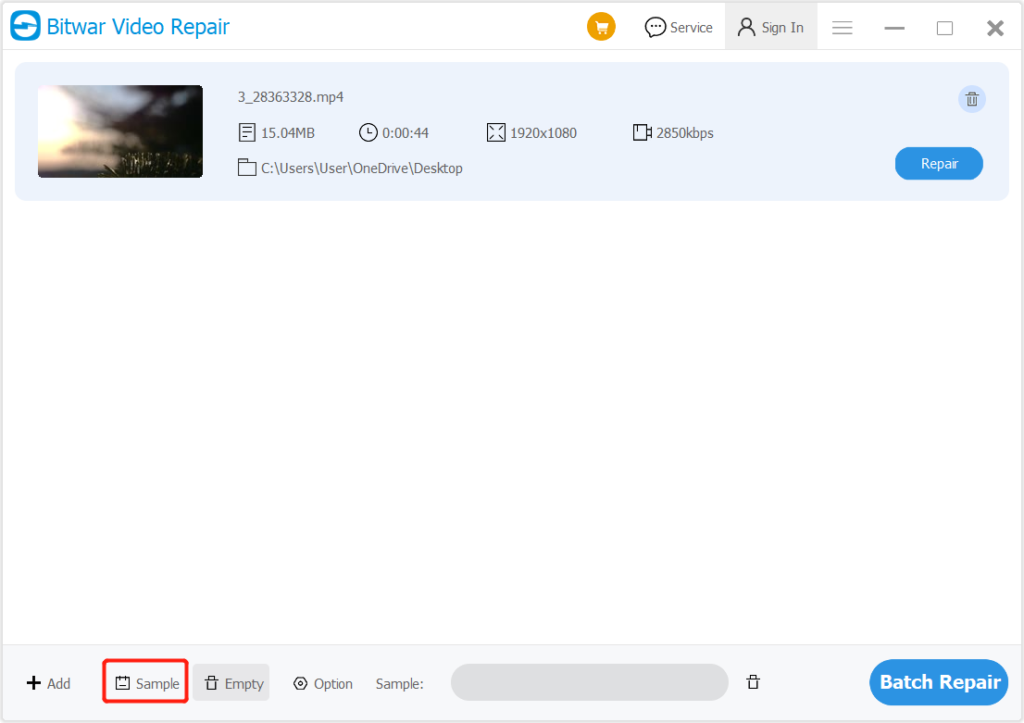
1. Go to software and click the Sample icon.
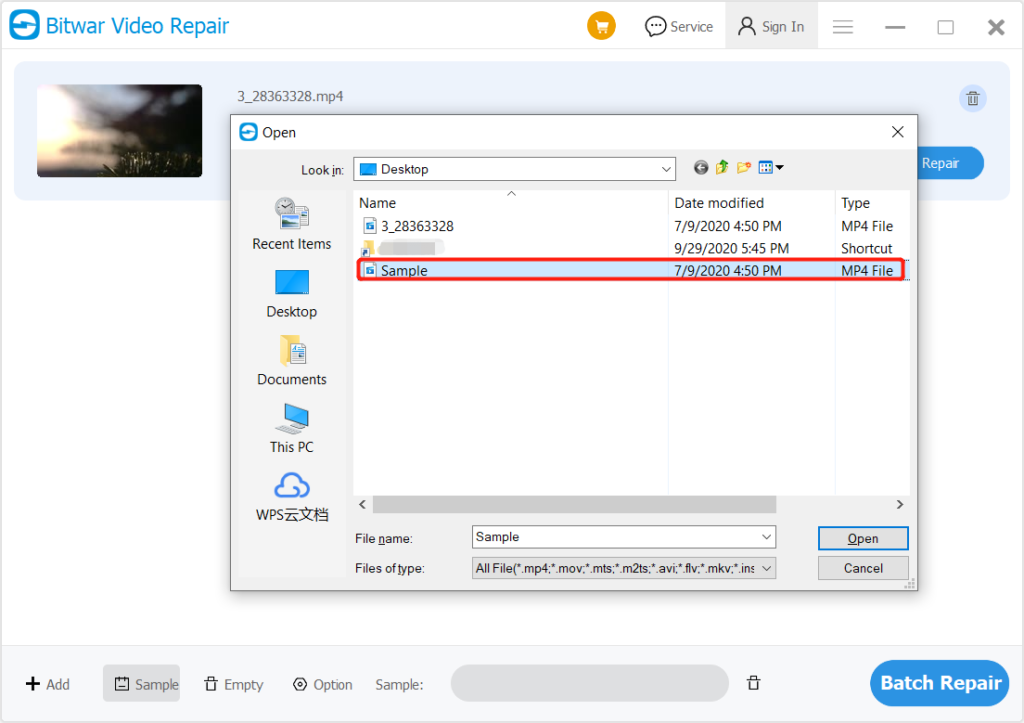
2. Choose the sample file from PC and click 열기 to add the sample.
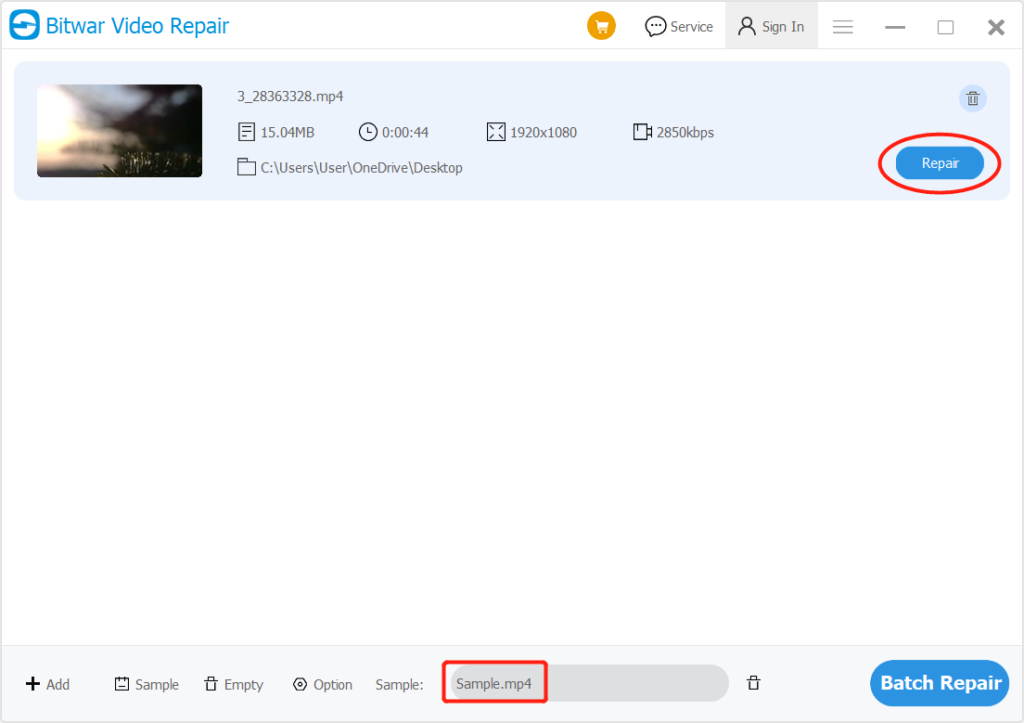
3. After adding the sample video, click the Repair button to repair your video files according to the sample video.
For the next user guide on Preference, click on the link:




