Other PDF Tools
개요: The user guide below will allow users to learn the tutorial to split, rotate, merge, and compress PDF files by using the Other PDF Tools in Bitwar PDF 변환기.
목차
Other PDF Tools
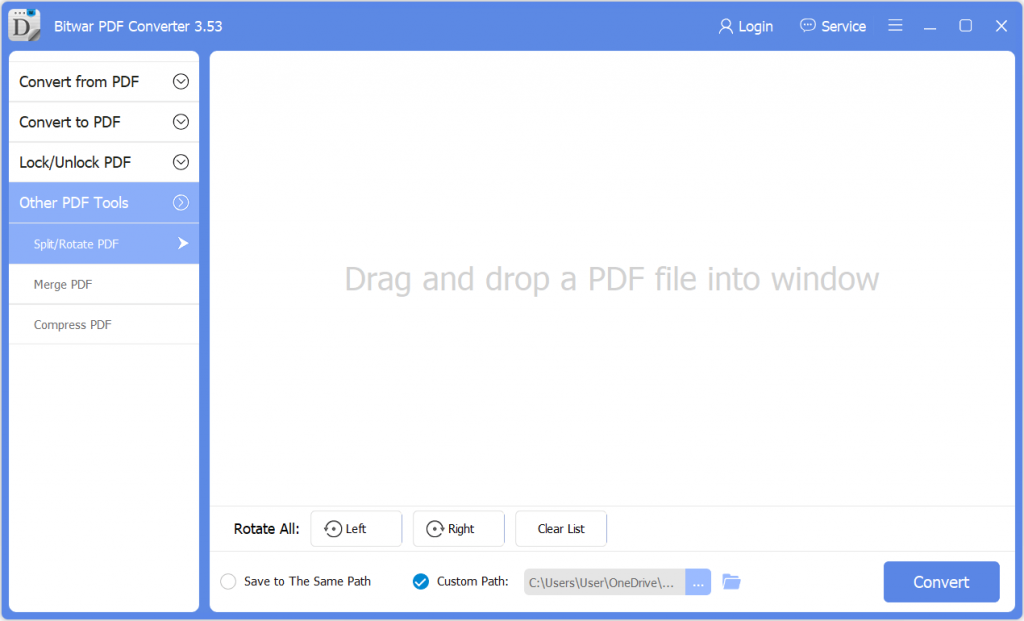
비트와르 PDF Converter Software provides multiple types of PDF tools for users such as Split, Rotate, Merge, and Compress PDF. Users can find all these PDF tools in the Other PDF Tools menu in the software.
Split PDF
1. Choose Split/Rotate PDF from Other PDF Tools menu and 견인 the PDF file into the software.
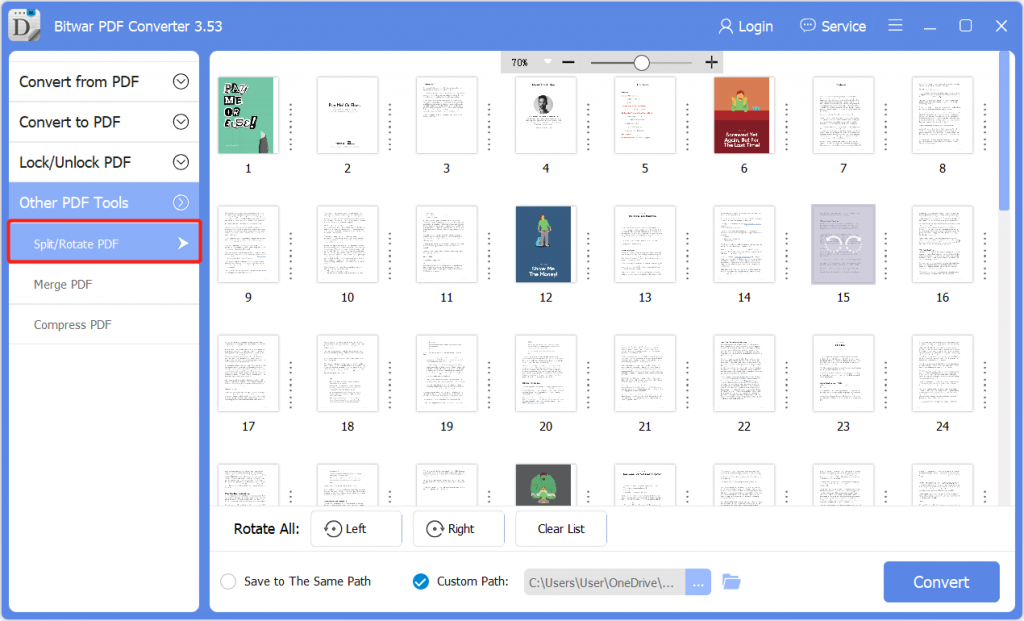
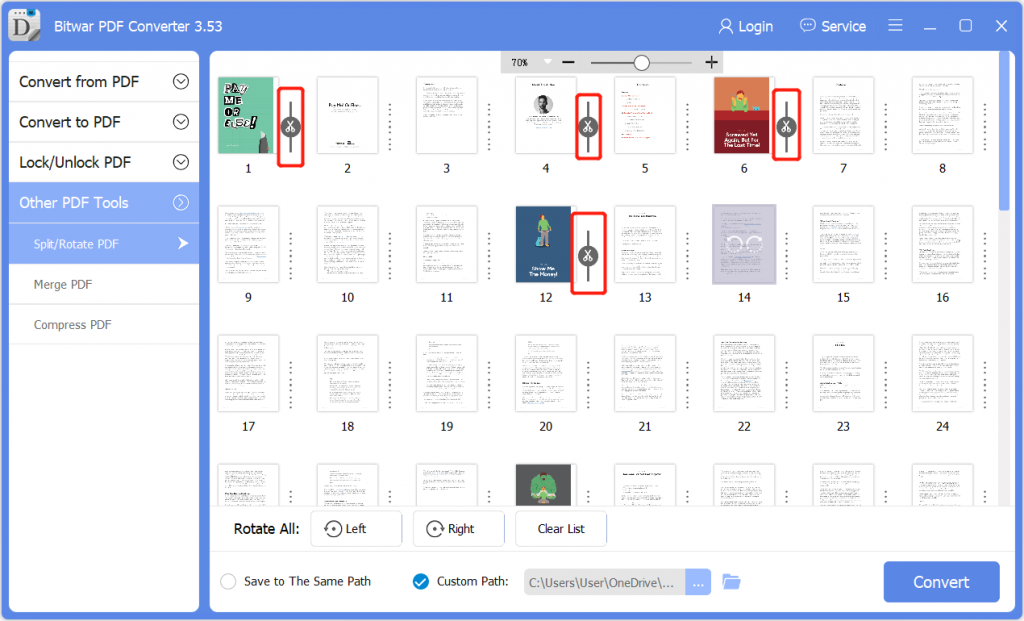
2. Choose and click the Scissor icon on the PDF pages that you want to split.
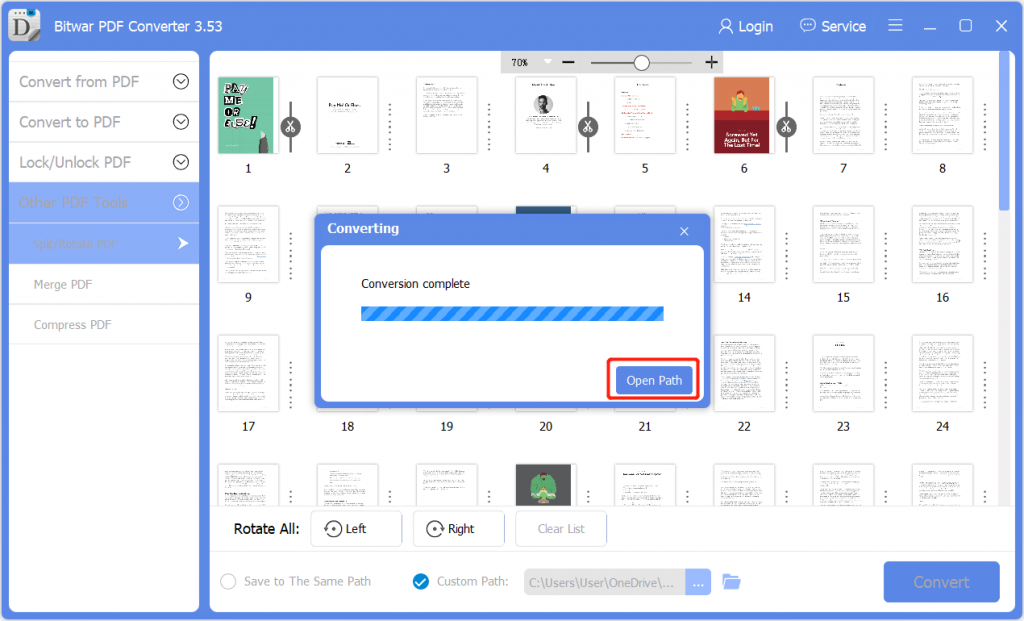
3. Click Convert to start splitting PDF. When the process is complete, click Open Path to view the PDF files.
4. Preview the new PDF files in the file directory folder.

Rotate PDF
1. Choose Split/Rotate PDF from Other PDF Tools menu and 견인 the PDF file into the software.
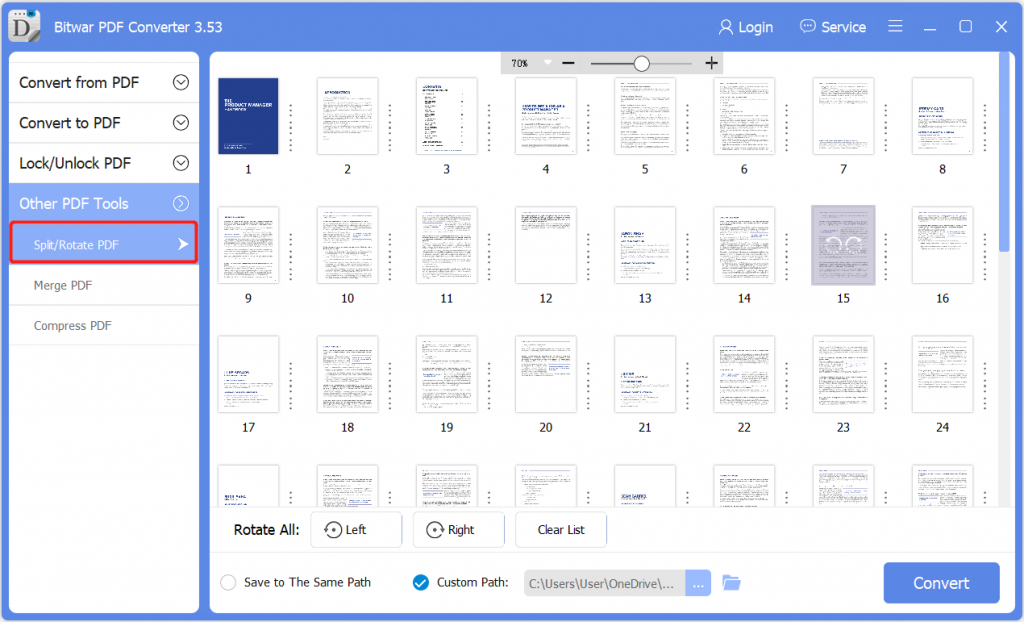
2. Go to the PDF page and click the Rotate icon to rotate left or right.
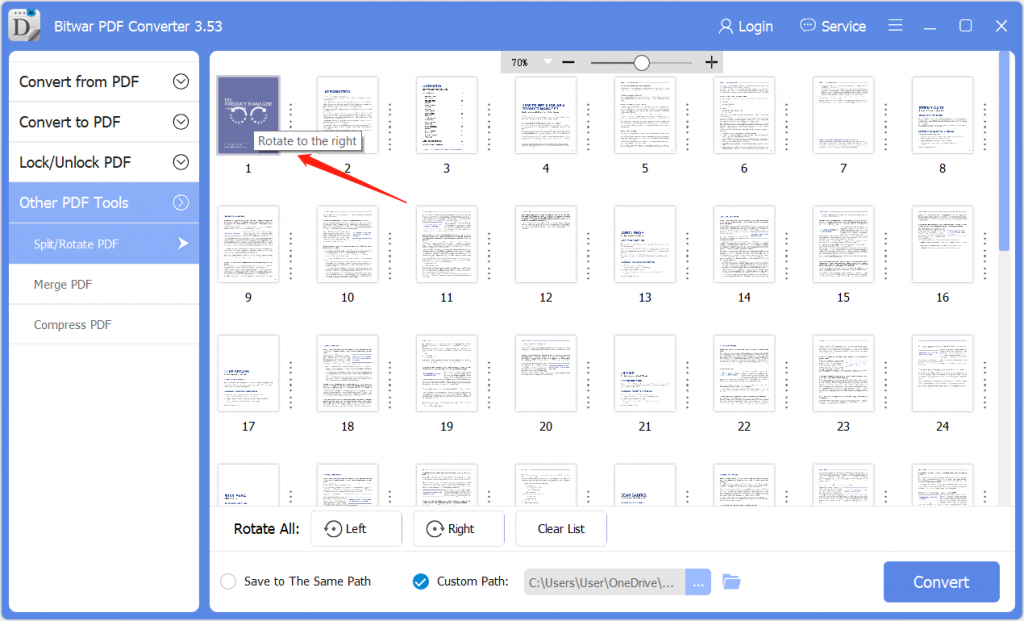
3. After finish splitting the PDF, click Convert 과 열린 길 to view the new PDF file.
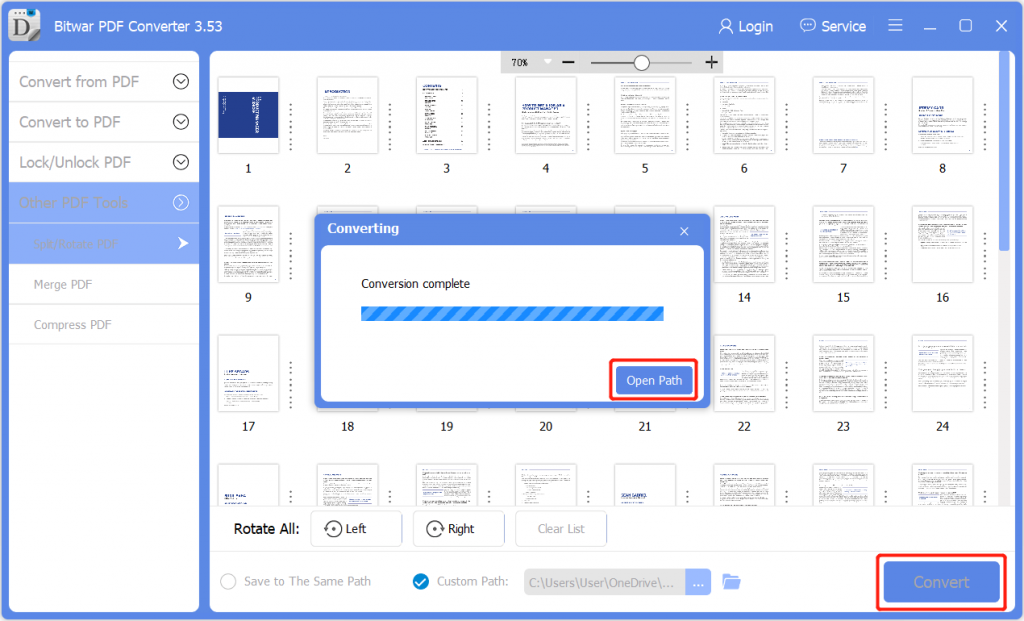
4. Preview the new rotate PDF page in the file directory folder!

Merge PDF
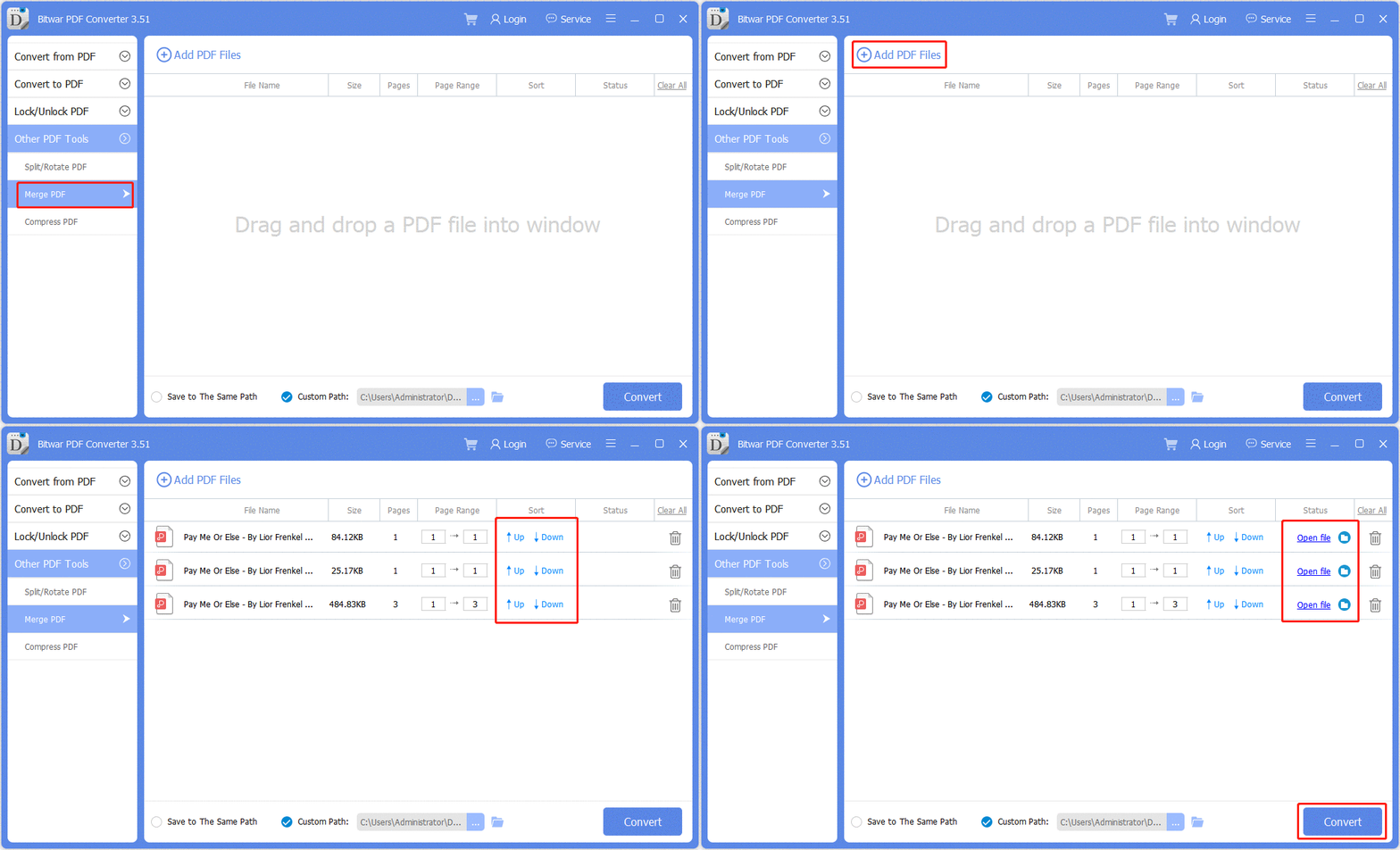
Choose the Merge PDF from the Other PDF Tools menu. 견인 or click Add PDF Files to add the PDF files into the software. Rearrange the PDF page order by sorting it up or down. Then, hit Convert 그리고 클릭 Open file to Preview the new merge PDF files!
Compress PDF
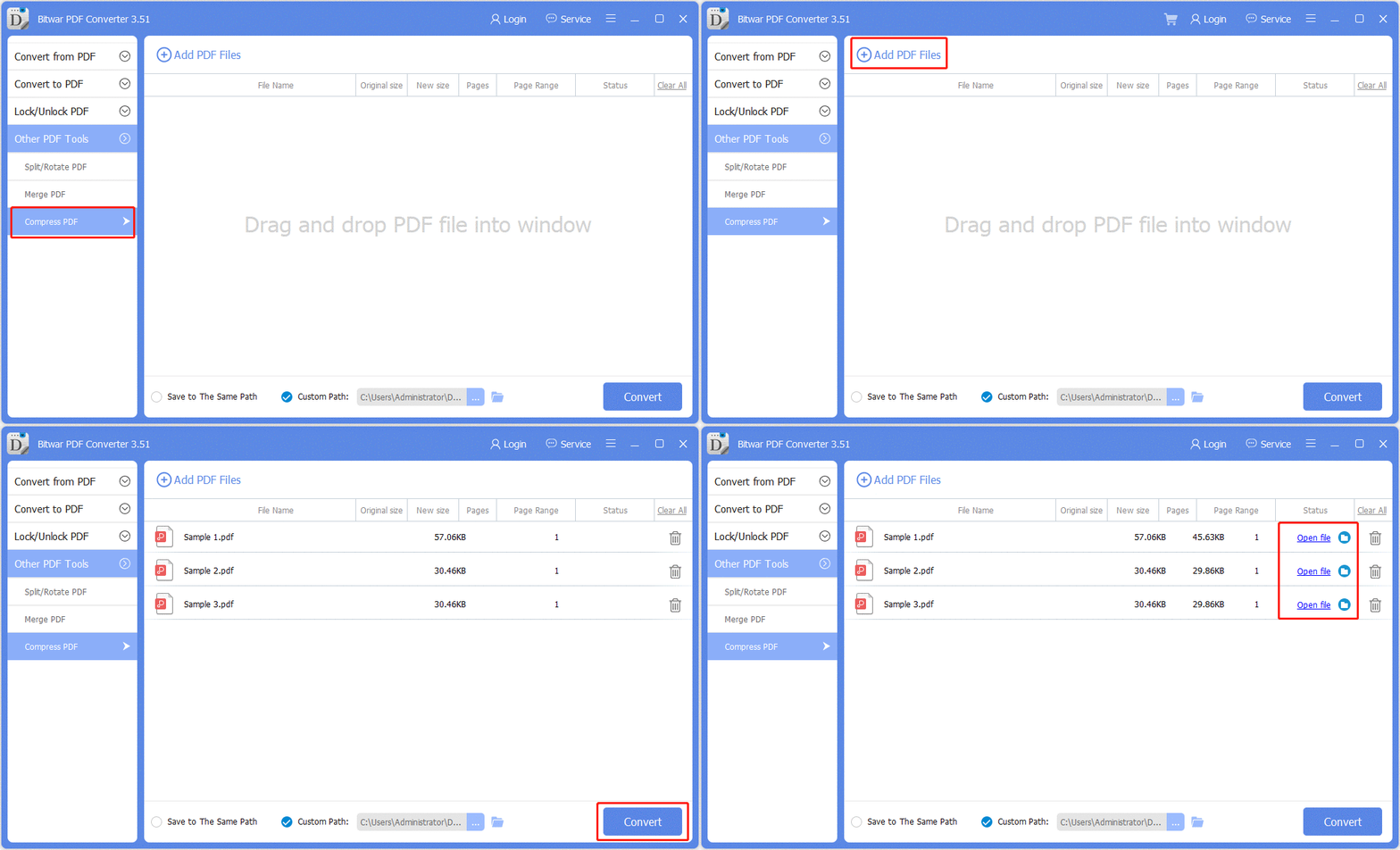
Select Compress PDF from Other PDF Tools menu and drag or click Add PDF Files to add PDF files into the software. Continue with Convert 그리고 클릭 Open file to preview the new compress PDF files!
For the Next Tutorial on Preferences on Bitwar PDF Converter, please click on the link below:





