How to Continue Data Recovery from the Last Breakpoint?
Résumé: The article below will show users how to continue data recovery from the last breakpoint in Logiciel de récupération de données Bitwar.
The best Mac Logiciel de récupération de données est Récupération de données Bitwar Software for Mac because it is efficient and user-friendly where it provides multiple powerful recovery tools and supports different types of file formats. Besides, there are also many other tools added to the software as it will keep getting better along the way.
Sometimes, some Mac users may accidentally stop or close the data recovery process while using the software where they thought they have to start all over again to start the scan process. So with the latest version of the software, all Mac users can continue the data scan process from the last breakpoint!
Quickly follow the tutorial below and learn how to continue data recovery from the last breakpoint in Bitwar Data Recovery Software for Mac.
Table des matières
Steps to Continue Data Recovery from the Last Breakpoint
Step 1: Launch Software
Open the data recovery software on your Mac device that you need to perform data recovery.
Step 2: Partition or Device
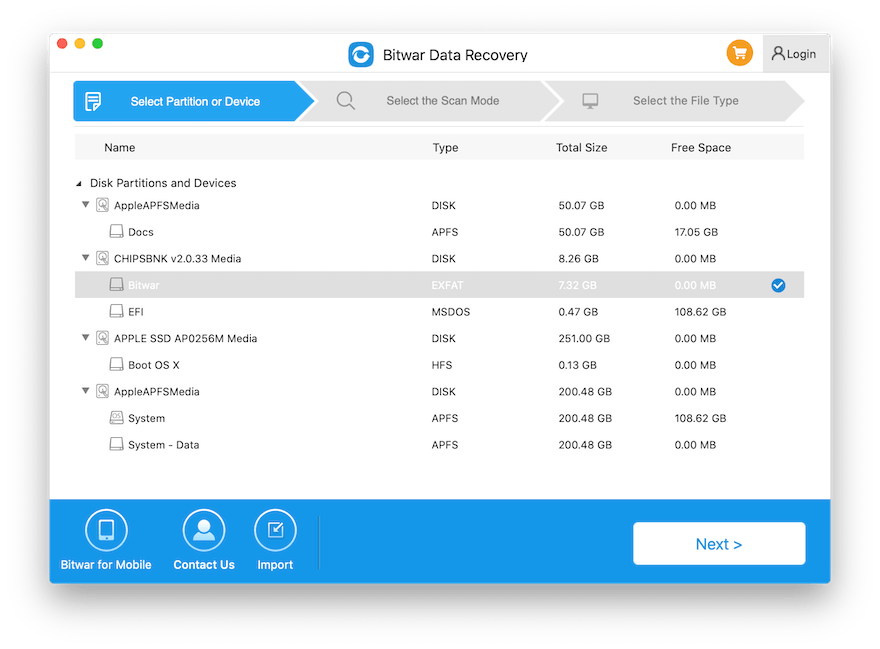
Select the required Partition ou Device that you’ve scanned previously.
Step 3: Rescan or Continue
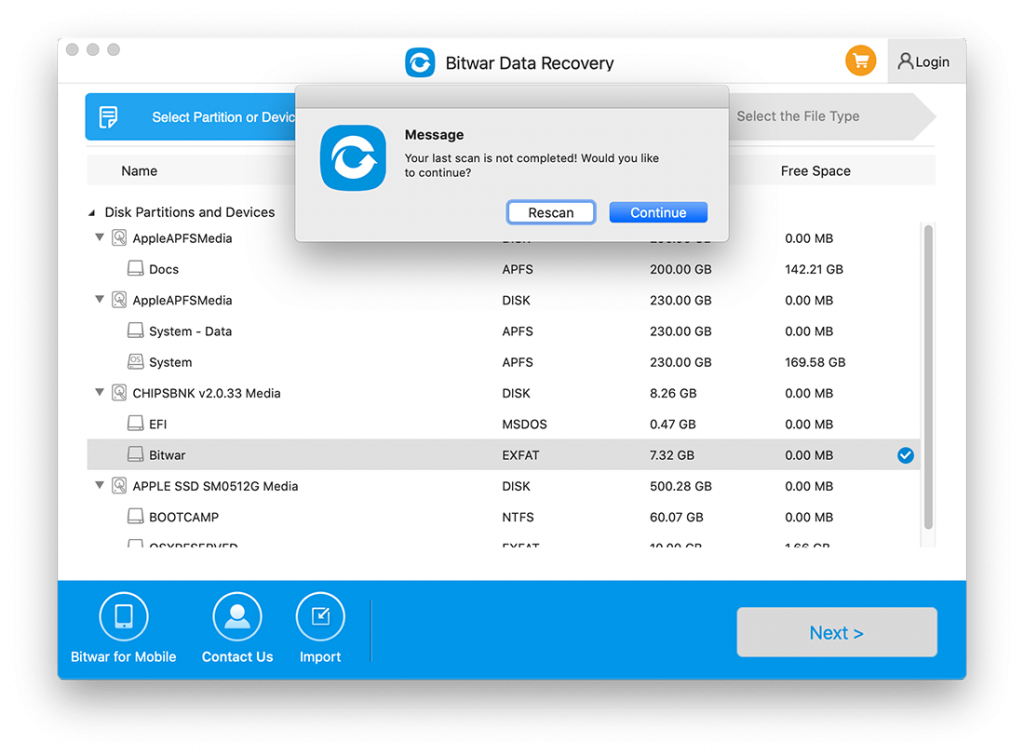
Then, a message prompt will show up: Your last scan is not complete! Would you like to continue? So, if you want to continue with the scan from the last breakpoint, tap on the Continue button or Rescan to start the whole recovery scan again.
Step 4: Scan Process
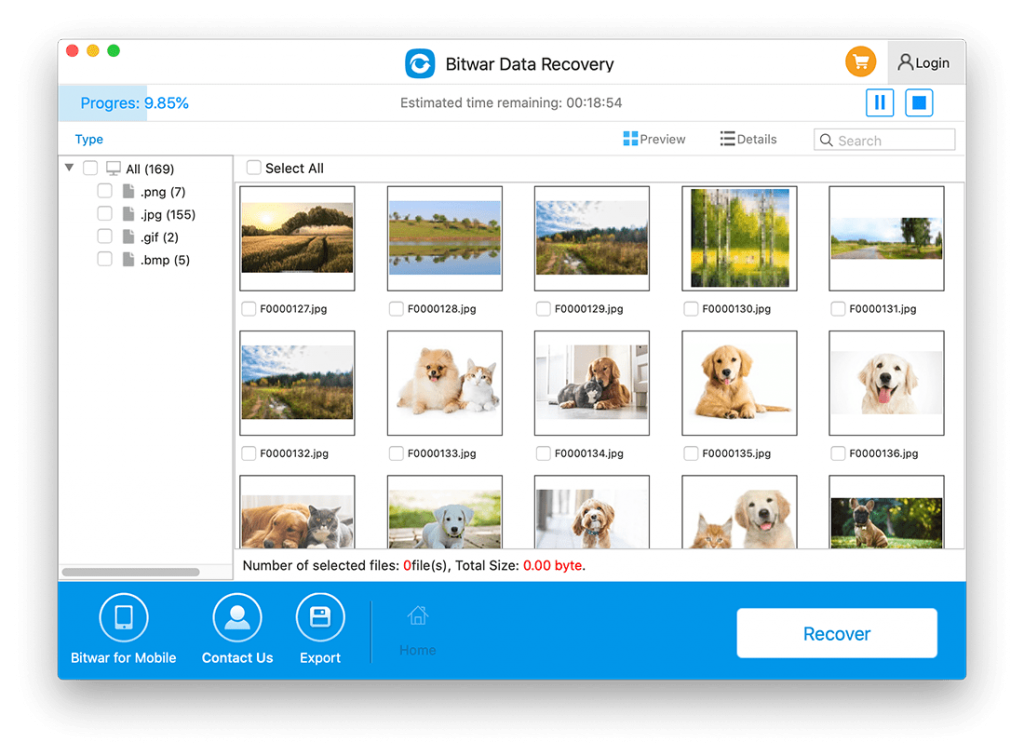
After choosing the Continue option, the software will continue your last breakpoint scan. Assuming that you’ve scanned 9.85%, the software will continue from 9.85% until the end.
Step 5: Preview Scan Results
Lastly, all you need to do is Aperçu the scan results and choose which file you want to recover, and click Se remettre to finish the recovery.
Continue the Last Breakpoint Now!
Bitwar Data Recovery Software for Mac is one of the best Mac data recovery tools on the Internet for any macOS device by providing the best performance tools or features for Mac users. Remember to follow the easy steps mentioned above to overcome your last breakpoint difficulty!
Article précédent
How to Prevent Trash Deleting Files Immediately on Mac? Summary: The article below will show users how to continue data recovery from the last breakpoint in Bitwar Data Recovery...Article suivant
How To Disable System Integrity Protection (SIP) On Mac? Summary: The article below will show users how to continue data recovery from the last breakpoint in Bitwar Data Recovery...
À propos de la récupération de données Bitwar
3 étapes pour récupérer plus de 500 types de documents, photos, vidéos, audios et fichiers d'archives supprimés, formatés ou perdus à partir de divers scénarios de perte de données.
Apprendre encore plus



