Continue Mac Data Recovery from the Last Breakpoint
Zusammenfassung: Mac users might close or stop the scanning process accidentally while using the Bitwar-Datenwiederherstellung für Mac. Luckily, the program offers a powerful feature that allows the user to start the scan from the last breakpoint, follow the user guide below to learn in details.
Steps to Continue Data Recovery from the Last Breakpoint
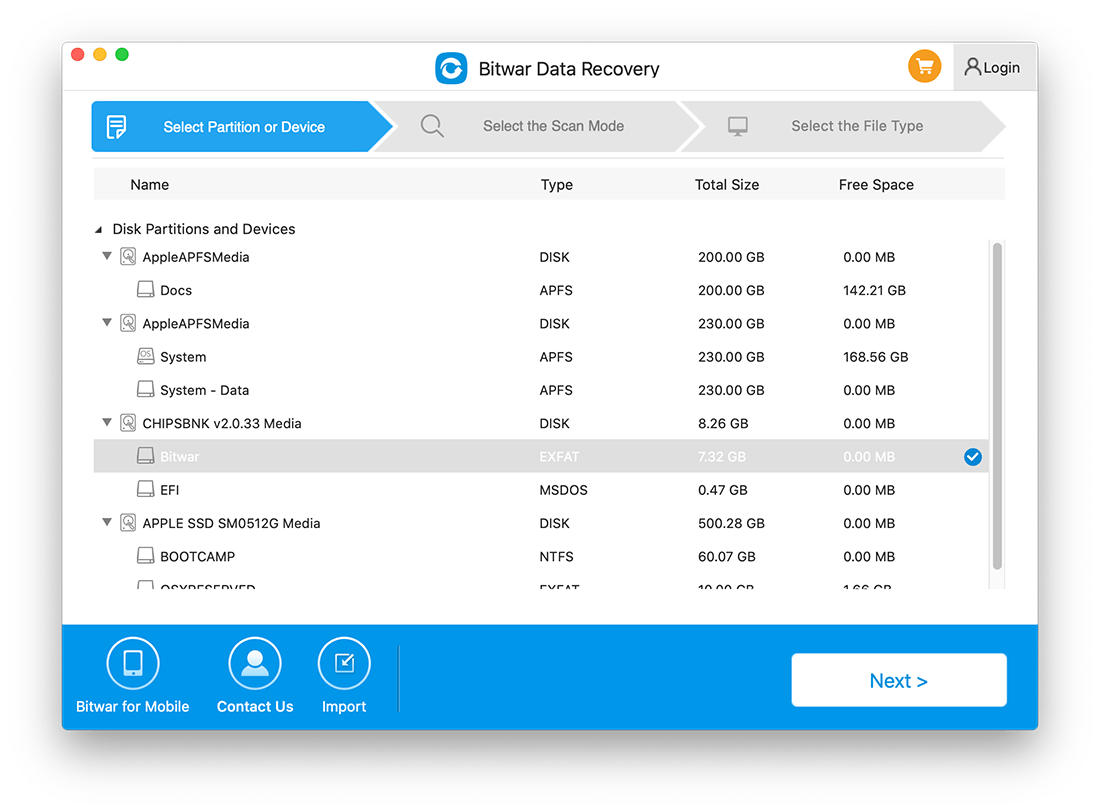
1. Starten Bitwar-Datenwiederherstellungssoftware for Mac and choose the Partition or Device the last time you’ve scanned.
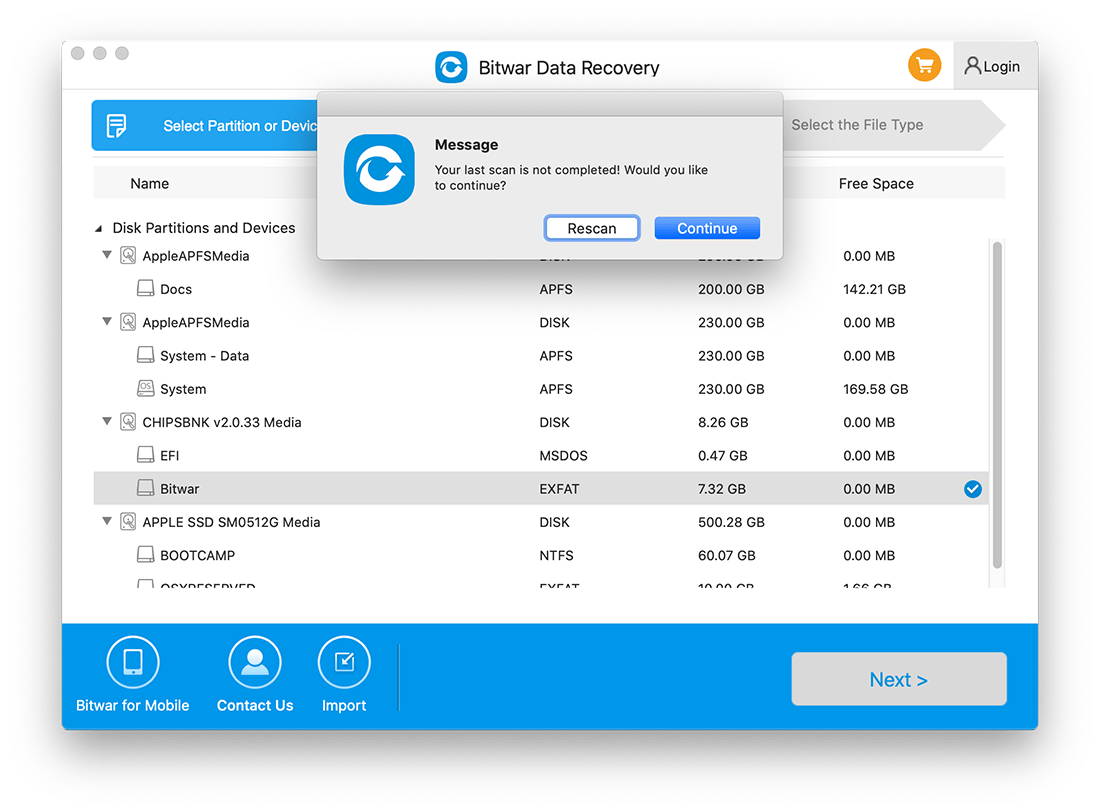
2. A message appears and notes you about the last scan is not complete. Hit on the Continue button to continue or click Rescan to restart the scanning.
3. The Scan process will continue from where the last breakup point ended. Please wait patiently for the process to complete.
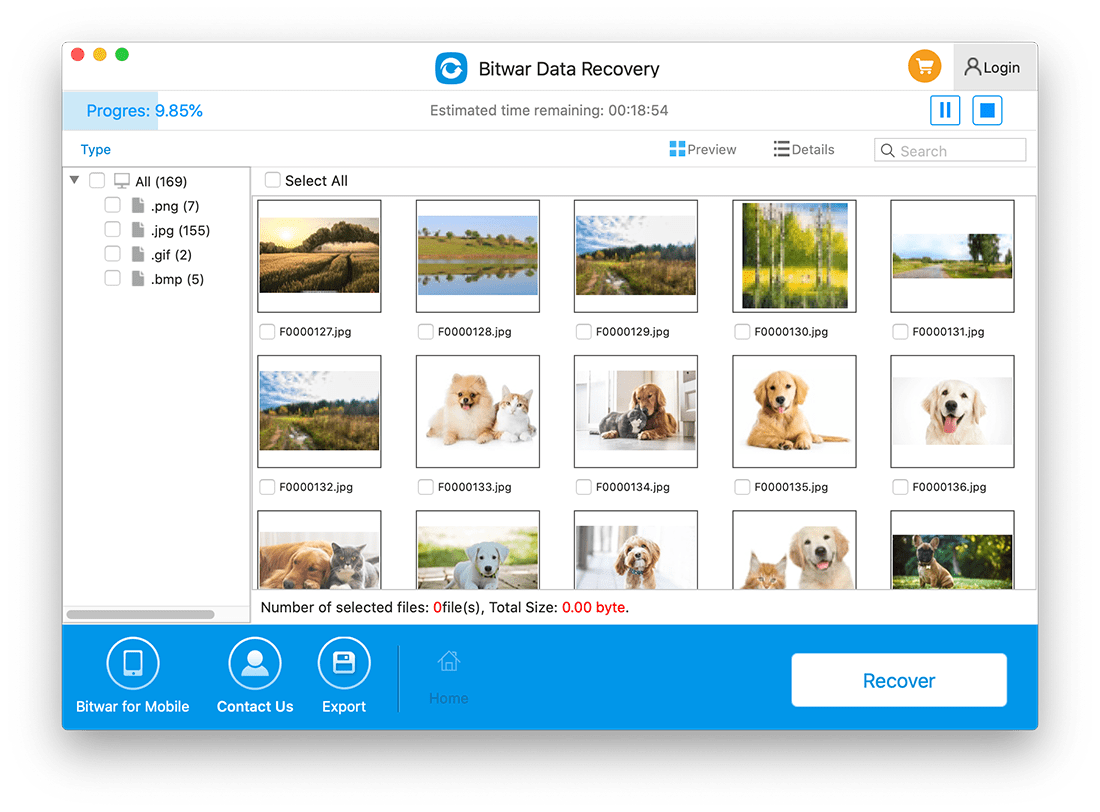
4. Vorschau the scanned data and click Recover to save the wanted file back!





